COB LED Strip Sourcing: A Specification Checklist for B2B Buyers
Turn the application, installation space and required light appearance into one model-level COB strip specification, then send the quantity, destination and sample checks needed for a reviewable quotation.
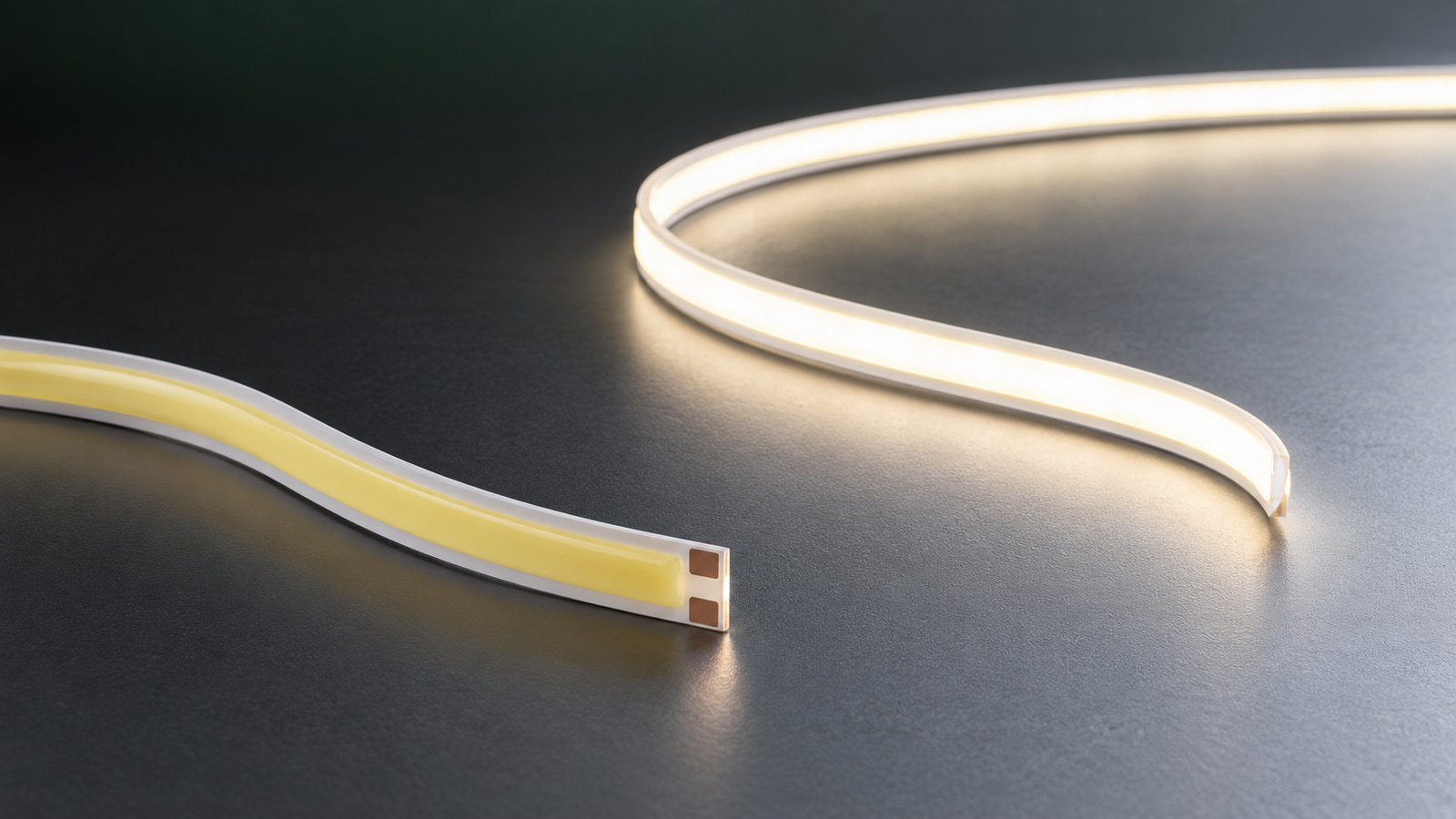
If COB is already selected, start with the application and environment, then lock one voltage, board width, installation space, light requirement, protection and connection plan for each candidate SKU. Ask for any unlisted value instead of assuming it, and use a sample to approve the exact configuration before a volume quotation. This COB LED strip sourcing checklist turns those decisions into a request that a supplier can review and quote.
If you are still deciding between package formats, begin with the COB vs SMD project comparison. If COB is already the chosen route, use the current COB LED strip range to identify candidate products, then apply the checks below to the exact variant rather than the family name alone.
Define the application and installation environment
A useful specification begins with the place where the strip will work. “Indoor display lighting” is not enough: a directly visible line in a shallow shelf, an indirect cove and a light inside a serviceable profile can require different mechanical and visual checks even when they use the same nominal color.
Record the following project inputs before comparing SKUs:
| Project input | What the buyer should state | Why it changes the review |
|---|---|---|
| Application | Shelf, cabinet, cove, sign, luminaire or other use | Establishes the lighting task and mounting context |
| Exposure | Dry indoor, damp, splash-prone or exposed condition | Determines which product and connection protection must be checked |
| View | Direct, reflected or diffused | Changes how visible individual structure and surface variation may be |
| Viewing distance | Normal closest and typical viewing distance | Gives the sample review a repeatable observation condition |
| Installation space | Available width, depth and recess dimensions | Limits strip, connector, profile and lead choices |
| Route | Straight length, corners, curves and feed points | Affects segment layout and connection planning |
| Mounting surface | Material, finish and cleanliness condition | Affects fixing method and sample-fit checks |
| Service access | Where a strip, joint or power component can be reached | Prevents an acceptable sample from becoming an unserviceable installation |
Record the viewing and service conditions
Treat “dotless” or “continuous line” as an acceptance target, not an automatic property guaranteed by the word COB. The result still depends on the strip-to-surface or strip-to-diffuser distance, viewing angle, viewing distance, profile geometry and surrounding reflectance. State those conditions and review the sample in the intended arrangement.
Also state how the installation will be serviced. A recessed channel may fit the strip but leave no room to replace a lead or reach a joint. Record the entry point, removal direction and any surface or profile that will remain in place during maintenance.
Lock the electrical and mechanical specification
Choose one complete electrical and mechanical configuration per candidate line. A product family may list several voltages, widths or light formats, but that does not make one SKU compatible with every option.
| Specification field | Buyer input or supplier evidence required |
|---|---|
| Exact product and variant ID | One product ID and one SKU for each row |
| System voltage | The voltage planned for that branch and the voltage printed for the exact SKU |
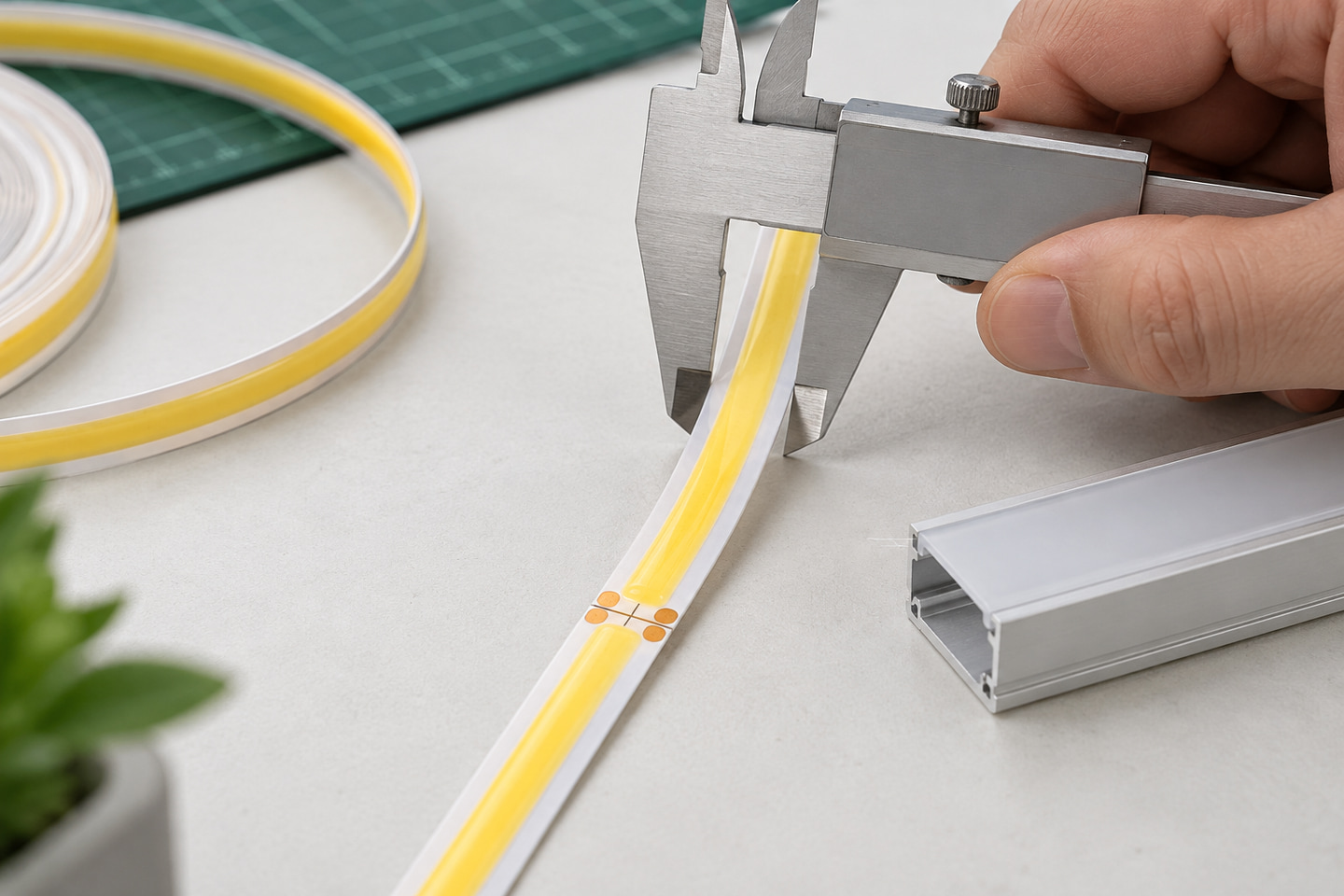
| Board or finished width | Documented width matched to the clear installation space |
| Listed power | W/m or other stated basis for the exact SKU, if documented |
| Cut interval | The marked or documented interval for that exact configuration |
| Requested supplied length | Length per reel, set or prepared segment, clearly labeled |
| Planned branch length | Intended connected length for each feed branch |
| Feed arrangement | Feed point, branch layout and any required injection plan |
| Profile clearance | Internal width and depth after allowing for connectors and leads |
| Connection direction | Lead exit, plug or connector orientation and service clearance |
Select one voltage, width and cut layout
Use this order:
- Select the project voltage from the intended power and control architecture.
- Match that voltage to the exact variant, not just the product family.
- Measure the clear installation width and depth, including connection clearance.
- Check the documented cut position against the required segment lengths.
- Map each feed and branch before setting the supplied lengths.
- Ask for any missing power, cut, connection or thermal information at SKU level.
For example, ULT-84ED5973-V0001 and V0003 are both listed as white, 3 mm COB strips with 400 LEDs/m, but the first is 5V and the second is 24V. Their shared width and density do not make their electrical requirements interchangeable.
The same discipline applies to broader families. ULT-6CE5B611-V0001 is a specific 6000K cool-white, 8 mm, 12V configuration with 320 LEDs/m and a listed 50-copper PCB specification. Other variants in the family use other electrical, mechanical or light formats. Use the multi-voltage, multi-width COB product page for discovery, then quote and sample the chosen variant.
Do not estimate W/m, maximum connected length, wire size or power reserve from appearance or density. Once the SKU power and branch layout are documented, use the power-supply sizing and voltage-drop guide to prepare the electrical calculation.
Set the light appearance and optical acceptance method
Write the intended light appearance as a sample condition that another person can repeat. Color names and CCT values identify an option, but they do not by themselves approve color consistency, perceived brightness or line continuity in the finished installation.
| Optical field | What to record |
|---|---|
| Listed light option | Fixed color, stated CCT, tunable format or RGB format for the exact SKU |
| Measured fields | CRI, flux, efficacy or tolerance only when supported by model documentation |
| Profile and diffuser | Exact sample profile, diffuser finish and installed distance |
| Viewing condition | Direct, reflected or diffused view, plus angle and distance |
| Surface condition | Color, gloss and reflectance of the mounting or receiving surface |
| Acceptance method | Reference sample, comparison location, operating condition and named observations |
| Review notes | Visible discontinuity, color difference, glare or fit issue under the stated condition |
Separate color choices from measured performance
Do not use LED density as a substitute for brightness, CRI, efficacy or the final appearance behind a diffuser. The ULT-6CE5B611 family includes different white, fixed-color, tunable and RGB configurations, so the selected light format must stay attached to its exact SKU.
If CRI, flux, color tolerance or another measured value matters, ask for the applicable model document or define how the sample will be compared. Do not create a pass value from a photograph. For a deeper method covering LED spacing, diffuser distance and profile depth, see the LED density, diffuser and profile-depth guide.
Match protection, connections and installation details
Protection and connection choices must be reviewed as a system. A protected strip does not automatically give the cut end, joint, lead, controller, power equipment or completed installation the same rating.
| Item to check | Buyer requirement |
|---|---|
| Strip construction | Bare, coated or encapsulated structure for the exact SKU |
| Cut-end treatment | Required treatment after cutting and the service method |
| Joints and leads | Quantity, orientation, exposure and strain-relief needs |
| Plug or input option | Exact regional and project requirement where applicable |
| Controller | Required only when the selected light function needs it |
| Fixing method | Adhesive surface, profile, clip or other documented method |
| Mounting surface | Material, preparation and temperature conditions to be reviewed |
| Replacement access | How the strip, connection and associated equipment can be reached |
| Local requirements | Destination-market electrical and installation conditions for project review |
Treat joints and accessories as part of the installed system
The ULT-1E5B33A3 examples show why these fields belong in the RFQ. ULT-1E5B33A3-V0001 and V0003 are listed as 220V, 288 LEDs/m, IP67 silicone-encapsulated, 6000K, 1 m sets with a 50 cm cut interval and inline switch. V0001 is listed with a China-standard two-flat-pin plug, while V0003 uses an EU round-pin plug. Those plug and switch details belong to those listed variants; they are not universal family accessories.
Likewise, the strip’s listed IP67 construction does not establish the protection of a field-cut end, connection, switch, power component or complete installed system. State the exposure at each connection and ask for the corresponding treatment and installation limits. Do not treat a high-voltage set as automatically suitable for every destination voltage or wiring practice.
Build the sample request and RFQ specification
Use one row per reviewable configuration. If two voltages or widths are being considered, give each its own row so that the quotation, sample and approval record cannot be confused.
| RFQ field | Buyer entry |
|---|---|
| Product ID and variant ID | |
| Application and installation environment | |
| System voltage | |
| Board or finished width | |
| Listed power and basis, if documented | |
| Color, CCT or control format | |
| Strip protection and connection treatment | |
| Cut interval and required segment layout | |
| Connector, lead or plug arrangement | |
| Supplied length and volume quantity | |
| Sample quantity | |
| Profile, diffuser or mounting surface | |
| Destination market | |
| Packaging or document request | |
| Open technical question for this SKU |
Send one reviewable configuration per line
When the sample arrives, review it in a fixed sequence:
- Match the product and variant label to the request.
- Check documented dimensions, visible cut marks and supplied length.
- Check the connection, lead and included accessories against the quoted configuration.
- Use only the planned compatible power and control arrangement.
- Fit the sample into the intended profile or onto the intended surface.
- Observe the light under the stated diffuser, distance, angle and surrounding finish.
- Record differences against the RFQ row and approve only the exact SKU tested.
This is a procurement method, not a claim that ULANTU has tested a buyer’s installation. Pricing, MOQ, stock, lead time, documents and packaging remain configuration- and request-specific.

Send the exact product or candidate SKU, application, voltage, installation space, required light appearance, protection and connection needs, sample quantity, total quantity and destination through Request a COB Sample Review.
Bring the comparison into a project brief.
Share the documented requirements and unresolved questions. An inquiry begins review; it does not confirm engineering approval, compatibility, stock, price, lead time, compliance or an order.
Prepare a project brief