Aluminum Profile Installation Planning: Strip Fit, Diffuser, Mounting and Service Access
Plan the complete LED strip–profile assembly before installation: verify usable clearance, match the diffuser and accessories, route feeds and connections, and keep service points accessible.
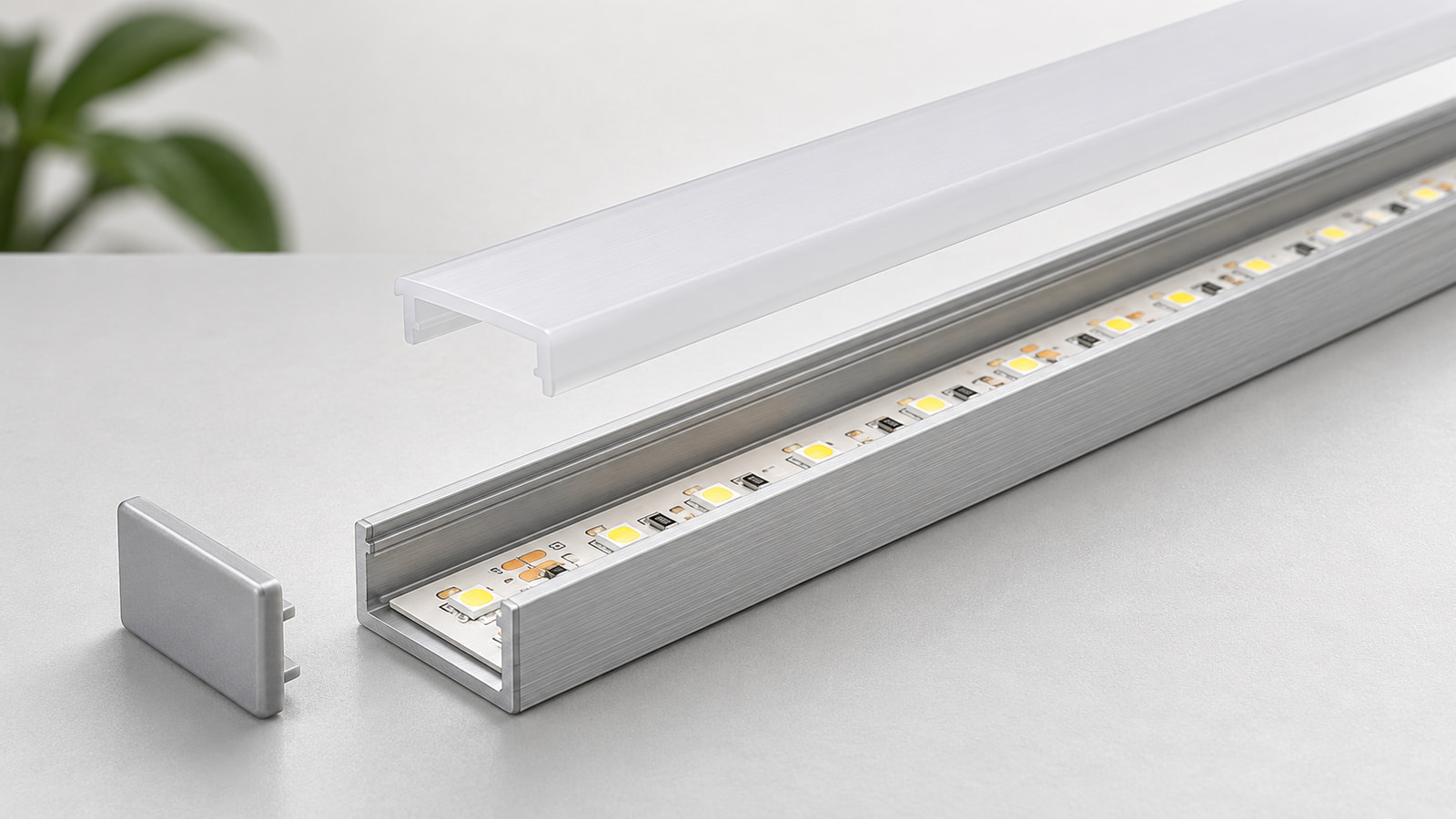
To install an LED strip in an aluminum profile, match the strip’s largest finished envelope—not only its nominal PCB width—to the profile’s usable internal space. Confirm the diffuser, end caps and mounting parts for the exact profile series, dry-fit the strip, feeds, connectors and joints, then mount the assembly while preserving access to the diffuser, strip, connections and driver for future service.
Treat the exact strip or SKU, exact profile series and exact accessory set as one traceable configuration. This aluminum profile installation planning method helps answer how to install LED strip in aluminum profile without assuming that a category label or outside dimension proves fit. It supports procurement and installation planning; it does not replace the instructions for the selected products, applicable site rules or qualified electrical review.
Match the Strip to the Profile’s Usable Space
Measure the finished strip, not only the PCB label
Begin with the installed envelope. A nominal PCB width may omit a coating, silicone jacket, raised components, solder, heat-shrink, a connector housing or the bend space needed by an exiting cable. The profile’s outside width is also not its usable internal width. Sidewalls, diffuser tracks, fixing features and end details can reduce the space available to the complete strip assembly.
Use one worksheet for both sides of the fit decision:
| Record object | Information to provide or measure | Passing condition |
|---|---|---|
| LED strip | Exact product ID, SKU and revision; nominal PCB width; maximum finished width and height; highest component; permitted cut position | Drawing and physical sample describe the same configuration |
| Connector, soldered joint and cable | Housing or finished-joint envelope; cable exit direction; bend and handling space; any permitted sealing or strain-relief method | The joint does not crush the strip, lift the diffuser or block planned removal |
| Aluminum profile | Exact series and section drawing; usable base width; effective depth; opening and diffuser-retention features; end and joint details | Clearance is checked from the section drawing or sample, not inferred from outside dimensions |
| Recess or mounting opening | Actual clear width and depth; corners; surface condition; tolerances; obstacles | The complete profile, mounting parts, feed and removal movement fit the prepared opening |
Work in this order:
- Identify the exact strip, profile and accessories.
- Collect current drawings and representative samples.
- Record the largest finished envelope of the strip and every part that enters the profile.
- Compare that envelope with the narrowest usable clearance along the route.
- Add the space needed at connectors, cable exits, end caps and profile joints.
- Dry-fit the complete assembly before cutting the site opening or permanently fixing the profile.
Do not invent a universal clearance allowance. The needed space depends on the selected components, their permitted assembly method and the movement required for installation and service. The profiles and diffusers collection can help identify candidate families, but the final decision needs the exact series drawing or sample.
Select the Diffuser and Accessories as One Profile System
Match the cover, end caps and mounting parts to the exact series
A diffuser that looks similar in a photograph may use a different edge shape, retention method or removal direction. End caps may differ by profile version or feed direction. Clips, brackets, corner pieces and joiners may also depend on the exact section and mounting surface. Record them as parts of one profile system instead of treating them as generic accessories.
| Component | Exact information to record | Sample action to verify |
|---|---|---|
| Diffuser | Profile series, cover section, material or finish, retention method and removal direction | Install and remove it along a representative length without distortion or damage |
| End cap | Part reference, orientation, feed-hole arrangement and effect on usable end space | Fit it with the planned cable or closed end |
| Clip or bracket | Part reference, supported profile and installation method | Confirm engagement and permitted removal direction on the actual substrate |
| Straight or corner joiner | Part reference, joint orientation and occupied space | Assemble the joint and check alignment, diffuser continuity and service access |
| Other included or separate parts | Quoted quantity and whether supplied with the selected configuration | Reconcile the sample, quotation and packing list before approval |
Terms such as clear, frosted and opal do not by themselves prove transmission, glare control or a continuous light line. If the diffuser is directly visible, nearby surfaces are reflective or the installation will be photographed, compare the same strip, drive condition, profile and viewing setup. Use the separate guide to plan density, diffuser and profile depth together.
Confirm what is included and what must be ordered separately. One SKU supplied with a diffuser or end caps does not prove that every profile size, finish or configuration contains the same accessories.
Plan the Mounting Route and Profile Joints
Dry-fit the route before permanent fixing
Plan the whole route before deciding where to drill, clip, bond or recess the profile. A mechanically suitable straight section can still fail at a corner, cabinet break, cable entry, joint or removable panel.
Use this installation sequence:
- Survey the mounting surface, recess, corners, openings, joints and obstacles.
- Mark the route from the exact profile section and installation form.
- Position representative profile lengths, end caps, diffuser pieces, feed cable and connection parts without permanent fixing.
- Confirm where the profile and diffuser will join and how each piece can later be removed.
- Select the fixing method from the instructions for the exact profile, mounting part, tape or substrate.
- Check the route again for sharp edges, pinch points, contamination, blocked cable exits and inaccessible fasteners before installing the strip.
| Mounting decision | Project input | Evidence needed before fixing |
|---|---|---|
| Surface or recess | Substrate, finish, geometry and site tolerance | Site measurement and section detail |
| Profile form | Surface, recessed, angled or another documented form | Exact profile drawing and installation instructions |
| Fixing method | Clips, screws, adhesive or an approved combination | Instructions for the selected profile, fixing part and substrate |
| Profile joint | Position, alignment, support and diffuser break | Dry-fit showing the planned joint and removal path |
| Removal direction | Direction needed for diffuser, profile or fastener access | Representative assembly trial |
| Site restriction | Furniture edge, wall return, door, equipment or finish that limits access | Marked drawing or site record |
When pressure-sensitive tape is part of an approved fixing method, surface preparation must follow the instructions for the selected tape and substrate. 3M’s VHB guidance states that bonding surfaces should be unified, clean and dry, and it calls for evaluation when surfaces or formulations change.1 That is a general surface-preparation principle, not evidence for a ULANTU profile’s adhesive performance, fixing interval, load capacity, cure schedule or thermal behavior.
Route Feeds and Connections Before Closing the Profile
Reserve space for cable exits, joints and inspection
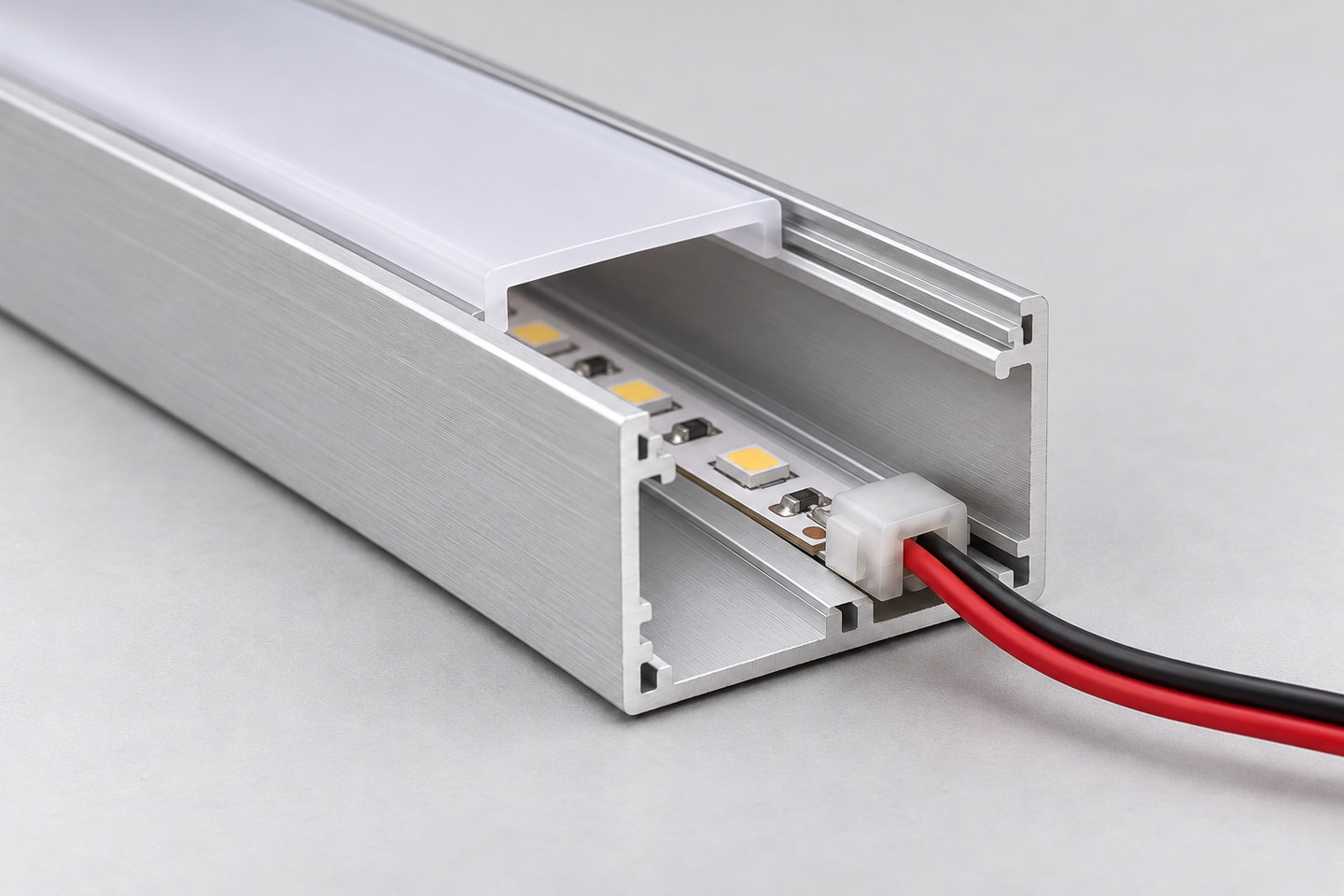
Decide the feed and connection plan before cutting end-cap holes or closing the profile. Record the power supply or controller location, feed direction, cable exit, joint method, end treatment and direction from which each connection can be inspected.
| Zone or run | Strip and voltage | Feed end and cable route | Connection method and exact part | Finished connection envelope | Driver or controller location | Inspection or replacement path |
|---|---|---|---|---|---|---|
| Buyer to complete | Exact SKU and documented system voltage | End, side, rear or other documented entry | Connector or soldered joint defined for the project | Maximum width, height, bend and sealing space | Accessible documented location | Direction and opening used for service |
A connector must be matched to the strip’s finished width, pad geometry, pin or channel count, polarity or conductor order and coating condition. Use the detailed method to match the connector to the exact strip. In the profile plan, add the connector housing, permitted sealing and cable bend to the finished envelope instead of checking PCB width alone.
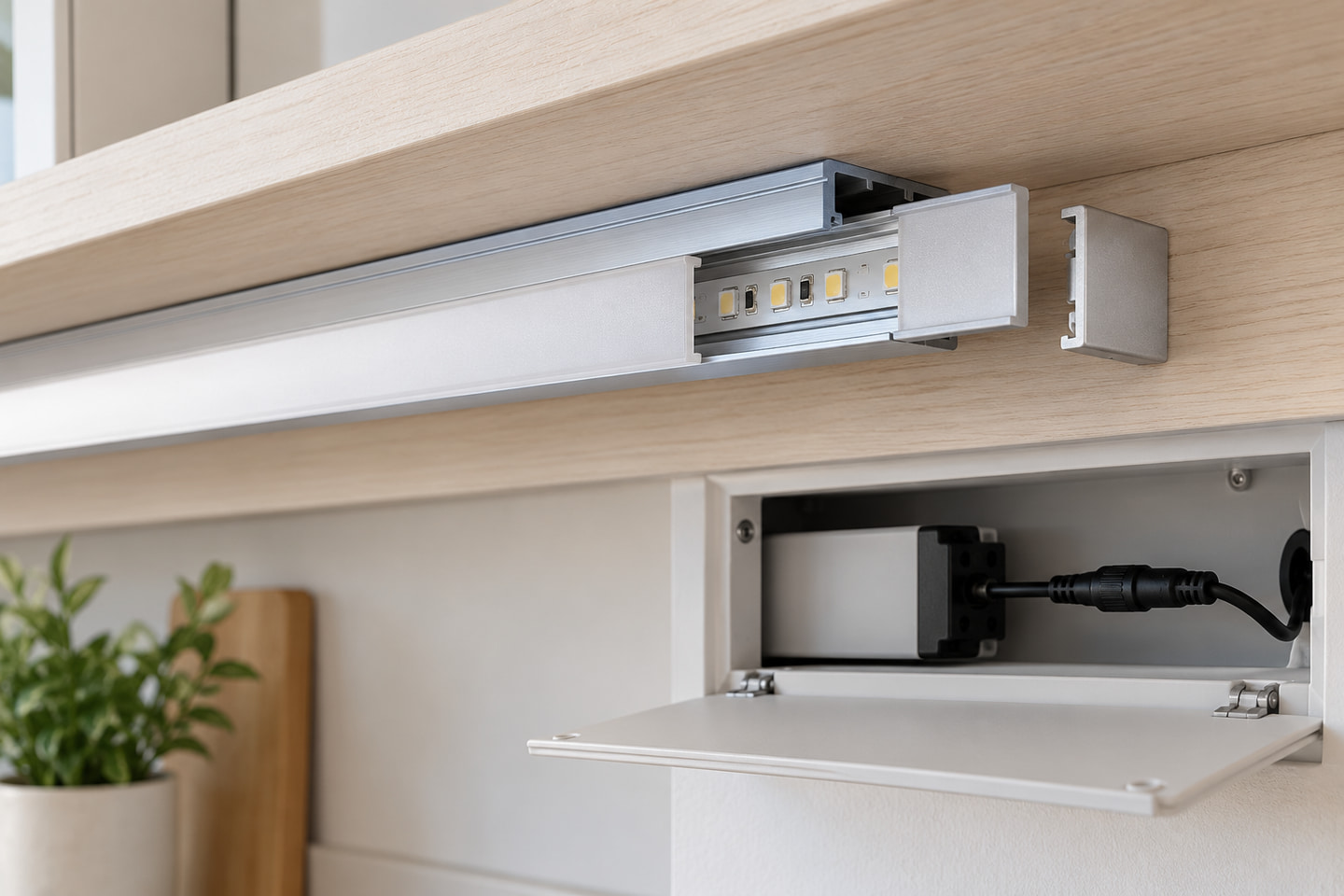
Do not use the connector as a cable anchor unless its instructions explicitly permit that load. Plan strain relief and support outside the contact interface. Keep drivers and controllers in locations that can be identified, inspected and replaced without dismantling an unplanned part of the finish. This article does not provide mains-wiring instructions, and products with different voltages or interfaces are not interchangeable merely because they fit the same profile.
Preserve Access for Replacement and Service
Check what can be removed without damaging the installation
A complete plan explains not only how the assembly goes in, but how its serviceable parts come out. Trace the removal path for the diffuser, strip, connectors, feed cable, driver and controller. Confirm that a profile joint, decorative panel or fixed end does not block the planned direction.
Run this pre-installation check with the representative assembly:
- The exact strip, profile series and accessory references are recorded.
- The finished strip envelope, connector or soldered joint, cable and feed entry have been dry-fitted.
- The selected diffuser and end caps can be installed and removed according to their instructions.
- Profile and diffuser joints do not block the planned removal direction.
- Connection points, driver and controller have defined inspection access.
- Replacing the strip does not require damage to a surface or fixing that was not identified as removable.
- Any planned removal of a decorative panel or fixed part is recorded for the receiving team.
- Physical fit has been checked on a representative sample.
- If optical appearance matters, the approved viewing and sample conditions are recorded separately.
Prepare these inquiry inputs so a supplier can review the real assembly rather than a profile name alone:
| Inquiry field | What to provide |
|---|---|
| Product identity | Exact strip product ID or SKU and candidate profile series |
| Dimensions | Nominal PCB size, maximum finished strip envelope and profile internal section or drawing |
| Installation | Location, substrate, recess or surface form, total length, segment lengths, corners and joints |
| Accessories | Diffuser, end caps, clips or brackets, joiners and whether each item is required |
| Feed and connection | Feed direction, cable route, connector or joint method, driver or controller location |
| Service | Diffuser-removal direction, connection access and parts that must remain replaceable |
| Commercial context | Quantity, destination and required samples or documents |
Enter the product and application identity in the existing Product or application field. Put the section, connection, feed and service details in Technical or document needs, together with quantity and destination in their existing fields. If drawings are needed, submit the request first and continue through the available contact route; the form does not promise a direct attachment upload.
When those inputs are ready, Submit Profile and Strip Dimensions.
Source
[1] 3M, “Surface Preparation for 3M™ VHB™ Tape Applications”. Used only for general surface preparation and application-specific evaluation principles; it does not establish ULANTU product performance, fixing spacing, load capacity or thermal suitability. Accessed 2026-10-20.
Bring the comparison into a project brief.
Share the documented requirements and unresolved questions. An inquiry begins review; it does not confirm engineering approval, compatibility, stock, price, lead time, compliance or an order.
Prepare a project brief