LED Neon Flex Mounting Plan: Clips, Channels, Curves and Joints
Turn an approved neon flex selection into a mounting plan by tracing the real route, re-confirming the bend plane, and fixing feed, joint and service-access points before ordering hardware.

A neon flex mounting plan is a separate task from selecting the product itself. After the section and bend direction are confirmed, the installation still needs its route traced on the actual surface, the bend plane re-confirmed against that route, curves and straight runs matched to physical supports, feed and joint locations fixed, and service access kept open — all before clips or channel are ordered.
This guide is for sign makers, installers and contractors turning an approved neon flex selection into a mounting plan. For selecting the product by section and bend direction, see the LED neon flex bend direction guide; this article is the installation-planning step that follows that selection. Review current LED neon flex and the flexible neon collection before finalizing the plan. Exact bend-radius limits and mounting-accessory compatibility must be confirmed against the specific selected model — this guide does not state generic bend limits for every product.
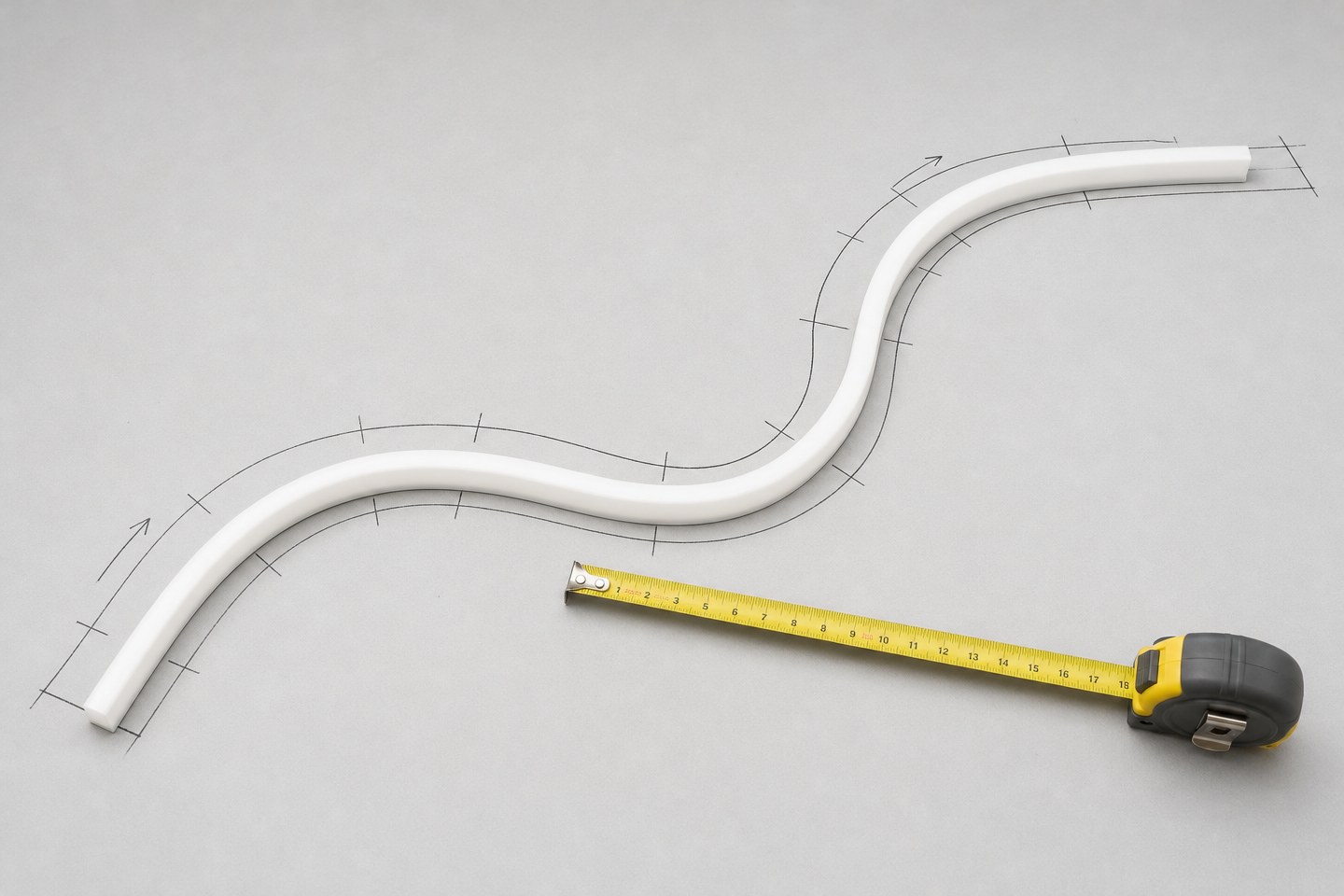
Trace the route on the actual surface
Mark the complete intended light path directly on the real surface or a dimensioned drawing of it — not on a rendering or a rough sketch.
Record along the route:
- every straight segment, curve and transition point;
- surface material and whether it is flat, curved, or has protrusions (trim, hardware, joints);
- total run length including any service loop needed at feed or joint points;
- any point where the route must stop short of an edge, corner or obstruction.
A route traced only on a plan view can hide a surface condition — a protruding fastener, a seam, an uneven section — that changes the mounting approach once work starts on site. Confirm the route against the physical surface before ordering mounting hardware.
Confirm the bend plane against the route
Re-check the route against the product's confirmed bend plane (the direction it is designed to bend — typically described as top-bend or side-bend, depending on construction) before committing to clips or channel.
- Identify every point on the traced route where the required curve direction matches the confirmed bend plane, and every point where it does not.
- Where the route requires a bend outside the confirmed plane, redesign that segment — do not force the product to bend in an unconfirmed direction.
- Confirm the minimum bend radius for the exact selected model with the supplier before finalizing any curve on the route; do not assume one radius applies across a product family.
This check happens after the route is drawn, because a route drawn without reference to the bend plane often proposes transitions the product cannot physically make.
Plan curves and straight supports
Match mounting method to each segment type on the confirmed route.
| Segment type | Mounting consideration | What to confirm with the supplier |
|---|---|---|
| Straight run | Support spacing along channel or clips | Recommended support interval for the exact model and mounting method |
| Gentle curve (within confirmed bend plane) | Support spacing may need to tighten through the curve | Minimum bend radius and curve-section support interval |
| Tight corner or transition | May require a joint rather than a continuous bend | Supplier-confirmed joint method for the exact model |
| Vertical or overhead run | Support must carry the product's weight over the full run, not just at ends | Support rating and mounting method for vertical/overhead orientation |
Do not assume straight-run support spacing applies unchanged through a curved segment. Confirm curve-specific support spacing for the exact model and the confirmed bend radius.
Locate feeds and joints
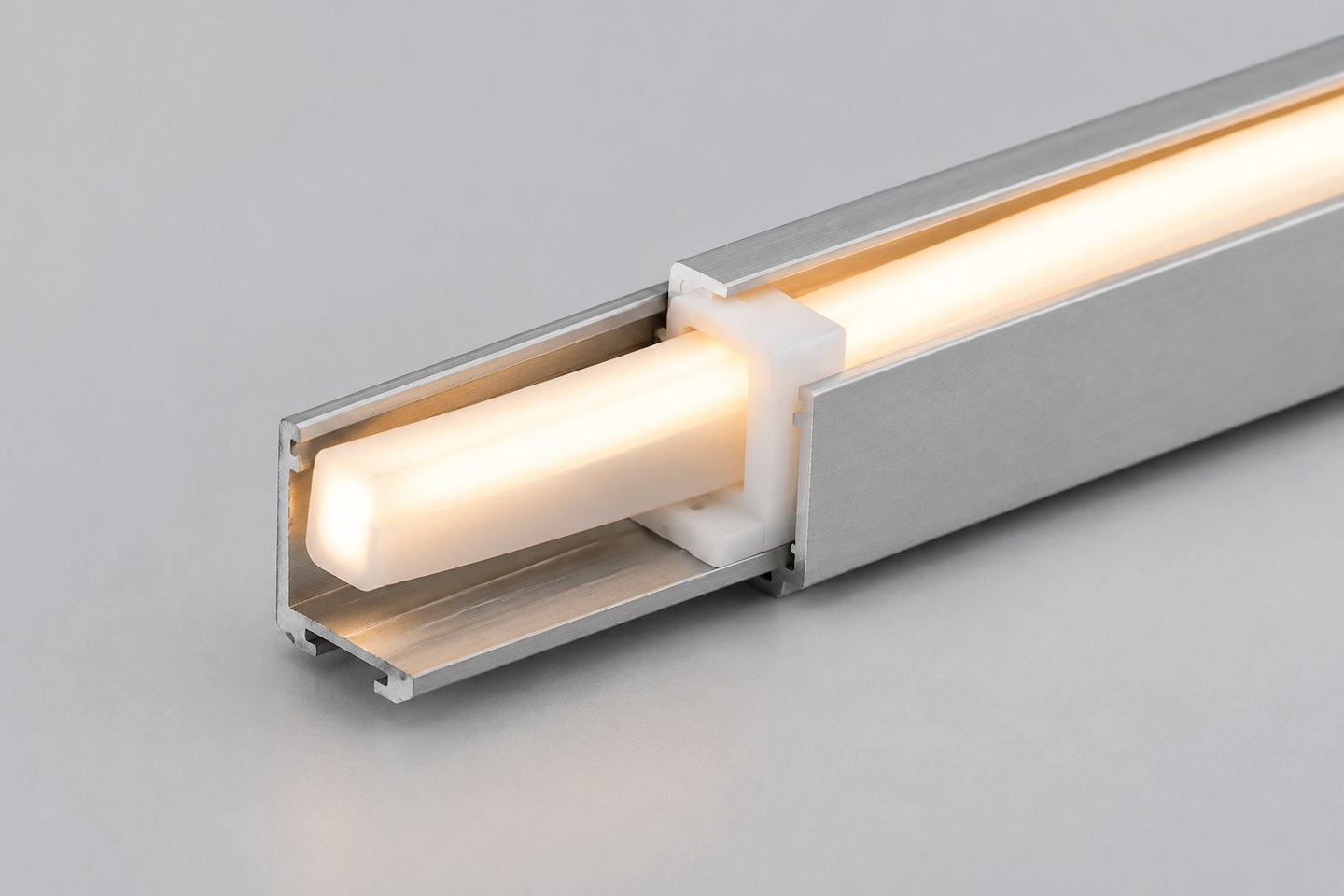
Fix every power feed point and every joint location on the route drawing before ordering clips, channel or connectors.
- Mark each feed point's location, accessible side, and the cable route back to the power source.
- Mark each joint location where one length ends and another begins, and confirm the joint method (connector, solder, or supplier-specified splice) for the exact model.
- Confirm total run length against the product's maximum single-run length or voltage-drop limit before placing a joint purely for ordering convenience rather than an actual need.
- Keep joints out of primary sightlines where the installation specification requires a continuous light line.
A feed or joint placed without reference to the route drawing risks landing behind cladding, inside a sealed cavity, or in a location that is difficult to reach later.
Keep service points accessible
Identify, before installation, every point that may need access later — a feed connection, a joint, a driver or controller location, or a section likely to need replacement.
- Mark each service point on the route drawing with its access method (removable cover, accessible void, visible connector).
- Avoid permanently sealing a feed or joint behind finish material without a planned access path.
- Record the service-access plan alongside the mounting drawing so it survives handover to a different installation team.
Replace vague requests with evaluable requirements
| Vague request | Why it causes rework | More evaluable wording |
|---|---|---|
| "Follow this shape." | No confirmed bend plane or radius for the route | Trace the full route, confirm bend plane and minimum radius with the supplier before ordering |
| "Standard clip spacing." | Support needs differ by segment type | Confirm support interval for straight runs and separately for curved sections at the confirmed radius |
| "Join it wherever's convenient." | Risks landing a joint in a sightline or inaccessible spot | Fix joint locations on the route drawing, confirmed against run-length limits |
| "Seal it in once it's mounted." | Removes future service access | Mark and preserve access at every feed, joint and likely-service point |
Coordinate with the surrounding finish work
A mounting plan that only addresses the neon flex and its hardware can still fail if it is not coordinated with the surrounding construction trades.
- Share the route drawing and mounting plan with whoever installs surrounding cladding, signage substrate or finish material, so their work does not accidentally cover a planned feed, joint or service point.
- Confirm the sequence of installation — whether the neon flex and its mounting hardware go in before or after the surrounding finish — since that sequence affects how support spacing and access are achieved in practice.
- If the mounting plan changes after finish work has already started, update the route drawing and reissue it to every trade involved, rather than relying on a verbal update to the installation crew.
- Keep a single current version of the route and mounting drawing, since a mounting plan held separately by each trade risks working from outdated information.
Coordinating the mounting plan with the surrounding construction sequence is what prevents a correctly planned route from being compromised by finish work installed without reference to it.
When the route, bend-plane confirmation, curve/support plan, feed and joint locations, service-access points and trade coordination are documented, Submit an Application Brief. Include the route drawing, selected product and confirmed bend plane, feed and joint locations, and any access requirements. The inquiry begins a mounting and compatibility review for the stated scope; exact bend-radius limits, mounting-accessory compatibility and commercial terms are confirmed in that review, not by this guide.
Bring the comparison into a project brief.
Share the documented requirements and unresolved questions. An inquiry begins review; it does not confirm engineering approval, compatibility, stock, price, lead time, compliance or an order.
Prepare a project brief