How to Compare LED Strip Quotations: Normalize Product, Quantity, Inclusions, Documents and Delivery
Make every quotation describe the same product, quantity, inclusions, documents and delivery point, then compare price and list the gaps each supplier must answer.

To compare LED strip quotations fairly, first make every quote describe the same thing: the same model and options, the same quantity and unit, the same included accessories, the same documents and the same delivery point. Only then compare price. Two quotes with very different prices are often not quoting the same scope, and the lower one may simply exclude the power supply, the connectors, the packaging or the documents your market requires.
This guide is for procurement teams, distributors and contractors who have already received several quotations and need to choose. It gives you a normalization worksheet so that the comparison is made on equal scope. If you have not yet sent a request, start with the ready-stock quote request checklist and the ordering checkpoints.
Normalize the product identity
Start by confirming that every quotation refers to the same product. A line such as “24V COB strip, 3000K” can describe many different products.
For each quote, extract:
- model or SKU as written by the supplier;
- strip type (SMD or COB) and LED density;
- voltage and wattage per meter;
- color temperature or color option, and CRI if stated;
- PCB width and cutting interval;
- protection or coating version, for example indoor or coated;
- datasheet or specification revision referenced.
Put these into one row per supplier. Wherever a field is missing, write “not stated” rather than assuming it matches your request. A missing field is a question to send back, not a match.
If one supplier has proposed a substitute, for example a different density or a different voltage, mark the row as a different product. Compare it separately, or ask the supplier to quote the original specification as well. You can check the meaning of each specification field in the guide on how to read an LED strip datasheet.
Align quantity, unit and pack
Quantity errors are the most common reason why quotes cannot be compared. Suppliers may quote per meter, per reel or per kit, and a reel length may differ between suppliers.
| Quote field | Supplier A | Supplier B | Supplier C | Normalized |
|---|---|---|---|---|
| Unit quoted (m / reel / kit) | meter | |||
| Reel or pack length | ||||
| Quantity quoted | ||||
| Unit price | ||||
| Price per meter | ||||
| Total for your required quantity |
Convert every price to one unit, usually price per meter, and then to the total for your actual required quantity. Check whether the quoted quantity matches yours. A low unit price for a quantity larger than you need is not a saving.
Also check whether price tiers apply. If a supplier quotes several quantity tiers, use the tier that matches your real order, not the lowest tier shown.
Compare what is included
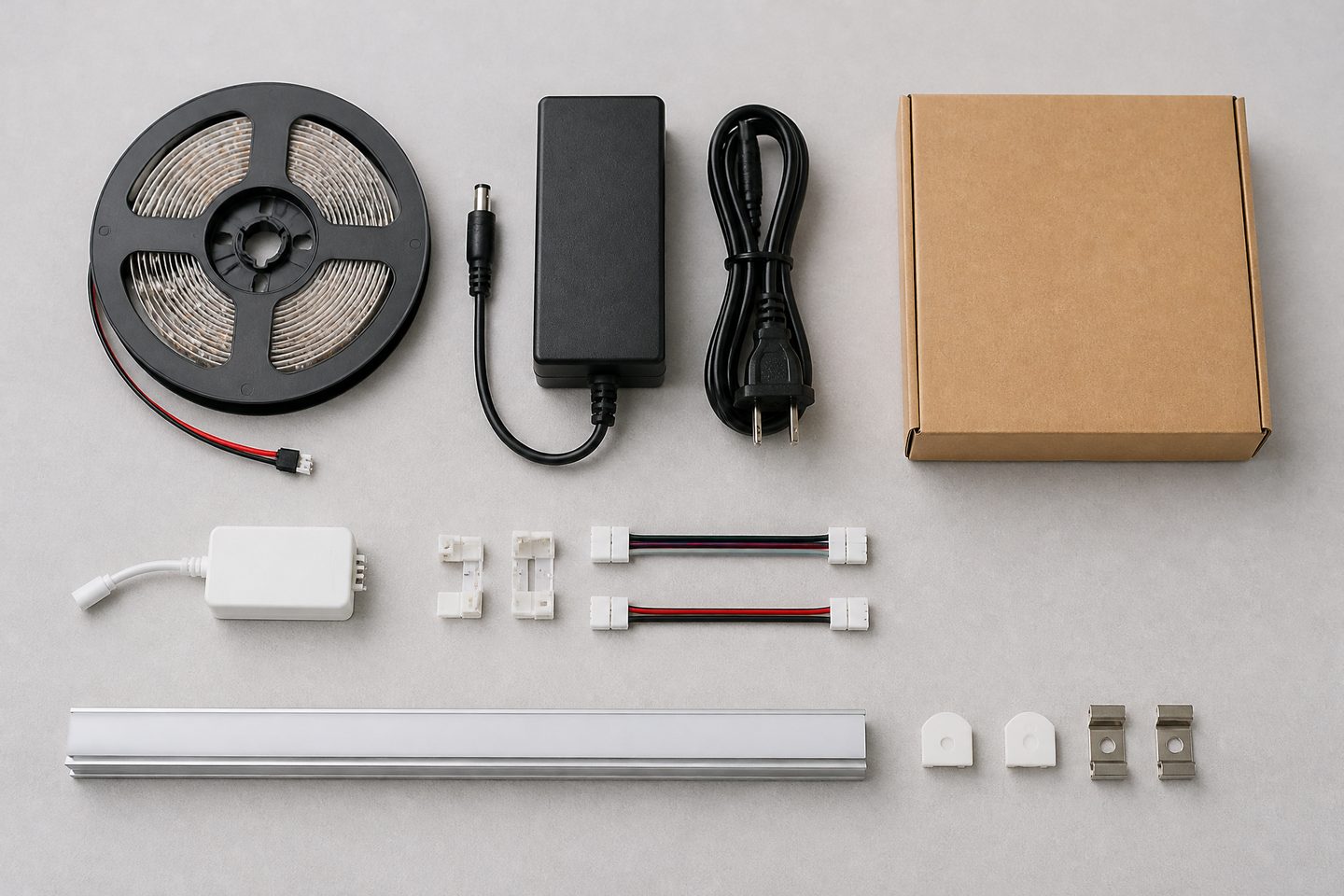
After identity and quantity, compare what is inside the price. Many differences between quotes are caused by included or excluded items.
| Included item | Supplier A | Supplier B | Supplier C |
|---|---|---|---|
| LED strip only, or kit | |||
| Power supply / driver | |||
| Controller or dimmer | |||
| Connectors and cables | |||
| Aluminum profile and diffuser | |||
| End caps and mounting clips | |||
| Custom label or logo | |||
| Retail or custom packaging |
Mark each cell as included, optional with price, or not offered. Then either add the missing items to the quotes that exclude them, using the supplier’s own option prices, or remove them from the quotes that include them. The goal is one equal scope per row.
When a kit is quoted, ask for the model of each component. A kit price without component models cannot be compared with a kit from another supplier.
Check documents and the delivery point
Documents and delivery terms change the real cost of a quote even when the product price is identical.
Check, for each quote:
- which documents are offered for the exact model, for example datasheet, test report or declaration;
- who is named as the holder of each document;
- the destination market the documents are relevant for;
- the trade term, for example EXW, FOB or delivered, and the named place;
- whether freight, insurance and export packing are included;
- the payment terms and the currency.
A document listed in a quote is a statement that it is available, not proof of what it covers. Review the documents themselves using the certificates and technical documents review before treating two quotes as equal on compliance.
Convert every quote to the same delivery point before comparing totals. An EXW price and a delivered price are not comparable until freight and handling have been added to the EXW quote.

Compare time and sample terms
Time is part of scope. Write down, for each supplier:
| Time and sample field | Supplier A | Supplier B | Supplier C |
|---|---|---|---|
| Stock or made to order | |||
| Dispatch time stated | |||
| Starting point of that time (order, payment, approval) | |||
| Sample available before order | |||
| Sample price and who pays sample shipping | |||
| Minimum order quantity |
Check the starting point of every stated time. “15 days” from approval of a sample is a different commitment from “15 days” from order. Treat dispatch time and delivery time separately, because transport time is added afterwards.
List the gaps before choosing
The last step is a written gap list. It turns the comparison into questions that each supplier can answer.
For each supplier, list:
- fields marked “not stated”;
- items that are optional or not offered;
- documents that are missing or not yet reviewed;
- differences between the quoted product and your requested specification;
- unclear trade, payment or time terms.
Send each supplier only its own gaps, and ask for a revised quotation on the same scope. Choose only when the normalized rows are complete. If two quotes remain equal on scope, then price, documents and time can be compared directly.
| Decision check | Yes / No |
|---|---|
| All quotes refer to the same product identity | |
| All prices converted to the same unit and quantity | |
| Included items aligned | |
| Documents reviewed, not only listed | |
| All quotes converted to the same delivery point | |
| Time stated with a clear starting point | |
| Gap list answered by every supplier |
How ULANTU states its terms in a quotation
ULANTU quotes stock LED strips with no minimum order quantity, and stock orders ship in 2–3 days. Samples are bought at the normal product price; stock samples ship in 2–3 days and ULANTU pays the sample shipping cost. Custom orders, including a logo printed on the strip or on the packaging, custom voltage, color temperature, length or packaging, are produced in 15–20 days after the requirement is confirmed, and the custom quantity is confirmed together with the quotation. Every order goes through an aging (burn-in) test and color temperature sampling before shipment. You can review the options on the OEM / ODM page and the product catalog.
FAQ
Why are LED strip quotations so different in price?
The most common reasons are different scope rather than different pricing: a different model or density, a different unit or reel length, excluded power supplies or connectors, different documents, or a different delivery point. Normalize these first, and the remaining difference is usually much smaller and easier to explain.
Should I always choose the lowest normalized price?
Not automatically. After scope is equal, compare documents, time terms, sample terms and how completely each supplier answered your gap list. A slightly higher price with complete documents and a clear dispatch time can carry less project risk.
How do I compare an EXW quote with a delivered quote?
Add freight, insurance, export handling and any import costs to the EXW quote until it reaches the same named delivery point as the delivered quote. Only then compare totals.
What if a supplier will not quote the requested specification?
Record the substitute as a different product and compare it in its own row. Ask the supplier to explain the difference in writing before deciding whether the substitute is acceptable.
To receive a quotation that fits the worksheet above, Send a Clear RFQ.
Bring the comparison into a project brief.
Share the documented requirements and unresolved questions. An inquiry begins review; it does not confirm engineering approval, compatibility, stock, price, lead time, compliance or an order.
Prepare a project brief